

The Course
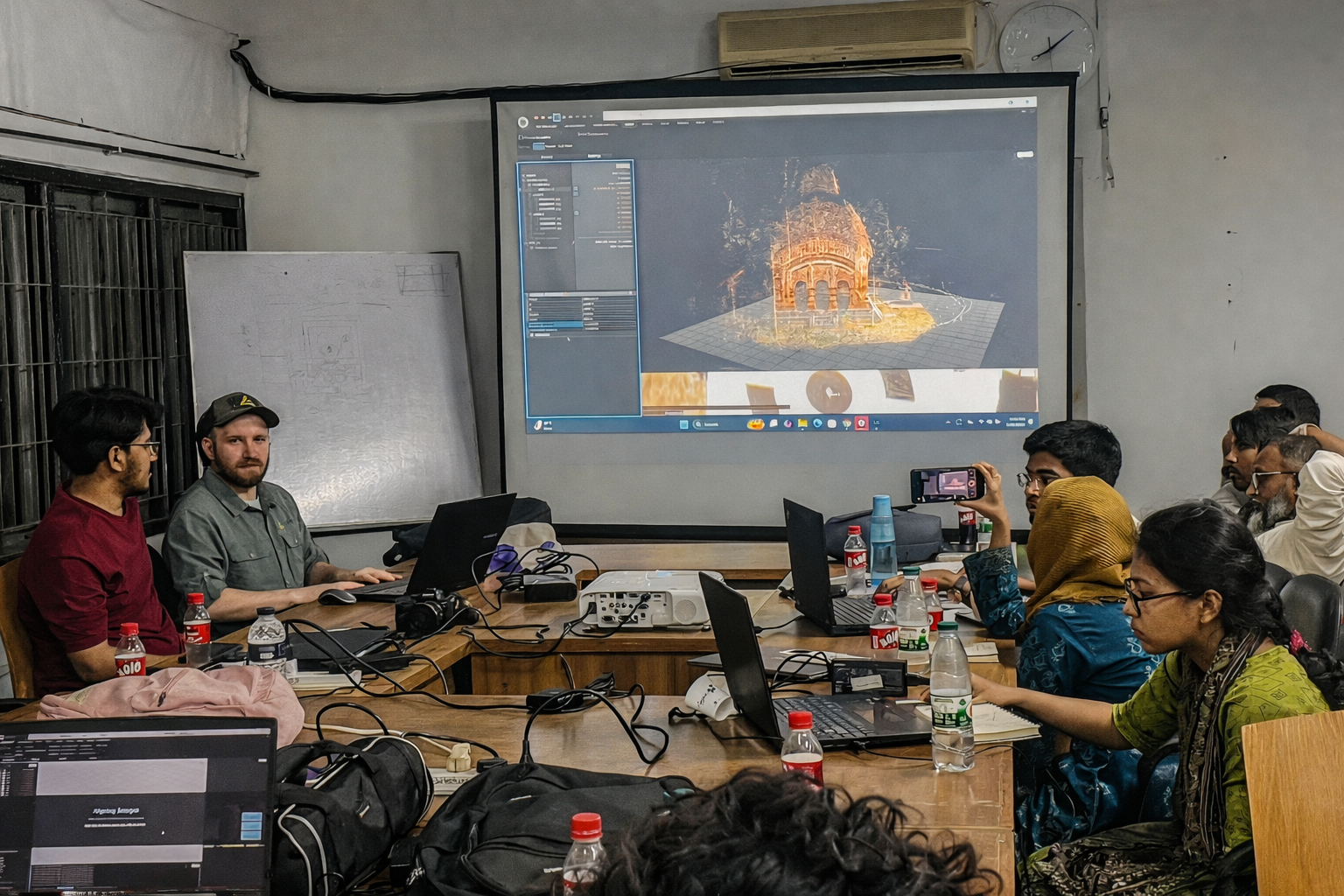
Photogrammetry Processing and Modeling is a live, hands-on two-week intensive that teaches you how to turn raw datasets into polished, accurate 3D models. This course picks up where data capture ends. You’ll learn to align images, generate meshes, optimize geometry, apply textures, and produce outputs that are useful for research, preservation, and presentation.
Instead of teaching software features in isolation, the course focuses on the CyArk workflow: a practical, field-tested approach that works across project types and scales. You’ll apply this workflow to real datasets (architectural, landscape, and artifact-scale), receive direct feedback on your outputs, and build the judgment to troubleshoot when things don’t go as planned. By the end, you won’t just know the steps. You’ll understand why they matter and how to adapt them to your own projects.
This course complements CyArk’s capture trainings and connects the full pipeline — from raw images to finished models ready for analysis, publication, or sharing.
What You'll Learn
- Pre-processing fundamentals: preparing images in Lightroom for optimal alignment and color consistency
- Image alignment: component-based approaches, troubleshooting failed alignments, and advanced techniques
- Mesh generation: creating accurate geometry from aligned data, understanding quality settings and tradeoffs
- Mesh optimization and cleanup: editing, simplifying, and refining models for accuracy and usability
- Texturing and UV unwrapping: controlling resolution, file size, and visual quality
- Sensor fusion concepts: how data from multiple sources can be integrated (photogrammetry, drone, terrestrial)
- Producing derivatives: orthographic images, renders, animations, cross-sections, and contour maps
- Publishing and sharing: preparing models for Sketchfab and other platforms
- Adapting workflows: applying the same core methods to architectural datasets and artifact captures
-
Troubleshooting: diagnosing common problems and knowing when to adjust your approach
What Makes This Training Different
With enrollment capped at 12 participants, sessions stay interactive and grounded in real processing work. You’ll process your own datasets throughout the course and receive clear, practical feedback on what’s working and what needs adjustment.
Instead of piecing together scattered tutorials, you work through a coherent, field-tested processing workflow guided by the instructor. You apply techniques as they’re introduced, encounter real challenges, and learn how to move forward with clarity rather than guessing.
The approach is drawn directly from CyArk project workflows and is designed to adapt across different project types, data, and goals.
Schedule
12 hours of live instruction via Google Meet over two weeks. Plan for approximately 10 to 15 hours of self-directed processing practice in addition to live sessions.
Week 1: Pre-Processing, Alignment, and Foundations
- Monday October 19, 5:00–7:00 PM ET
- Wednesday October 21, 5:00–7:00 PM ET
- Friday October 23, 5:00–7:00 PM ET
Week 2: Mesh Generation, Texturing, and Outputs
- Monday October 26, 5:00–7:00 PM ET
- Wednesday October 28, 5:00–7:00 PM ET
- Friday October 30, 5:00–7:00 PM ET
Sample Local Start Times (5:00 PM ET): West Coast 2:00 PM | London 10:00 PM | India 3:30 AM (next day)

Who This Course Is For
- Graduates of CyArk capture courses ready to process their own data
- Professionals with existing photogrammetric datasets who need processing skills
- Heritage documentation specialists, archaeologists, and conservators
- Researchers and academics working with 3D data
- Anyone who can capture photogrammetry data but struggles with the processing side
No prior CyArk course required. We start with fundamentals from the ground up and build at a steady, group-aware pace. Many participants take this course first and later enroll in one or both of our data capture courses. The courses complement each other, but one does not have to follow another.
Instructor - Rob Kesack
Rob serves CyArk in dual roles as a Technical Trainer and Field Capture Specialist. He is instrumental in developing training materials, leading both in-person and virtual workshops, and supporting on-site reality capture projects by capturing, processing, and optimizing digital data to meet diverse project needs. Rob is dedicated to demystifying reality capture technologies and techniques, helping stakeholders understand their capabilities, and simplifying the field's perceived complexity. He holds a B.A. in Anthropology from Rhode Island College and a Master of Science in Historic Preservation from the Graduate School of Architecture, Planning, and Preservation at Columbia University.
Before joining CyArk, Rob consulted for organizations such as Stantec and Factum Arte. He has presented at conferences hosted by the Association of North American Graduate Programs in Conservation (ANAGPIC) and the Association for Preservation Technology International (APTI). Additionally, he has published work on photogrammetry in the scholarly journal Technology | Architecture + Design.

Technical Requirements
- Reliable internet and availability for all six live sessions
- Desktop or laptop computer (webcam recommended)
- Time for processing practice between sessions (expect 10 to 15 hours across two weeks)
Software Requirements
- Adobe Lightroom (for pre-processing)
- RealityScan / RealityCapture (Epic Games) — primary software for the course
- Optional: Autodesk ReCap Photo, Meshmixer, or other 3D editing software
Hardware Requirements
- Operating System: Windows 10 or 11 (64-bit)
- CPU: 64-bit processor with AVX2 and SSE4.2 support (4+ cores recommended)
- RAM: 8 GB minimum, 16 GB recommended
- GPU: NVIDIA GPU with at least 1 GB VRAM, CUDA Compute Capability 3.5+ (6.1+ recommended)
- Storage: SSD recommended (NVMe for faster processing)
✅ Note: RealityScan can run without a CUDA-capable GPU, but model generation and texturing will be disabled.
Do I need to take the capture courses first?
No. This course starts with fundamentals and builds at a steady pace. Many participants take this course first and later enroll in capture courses. The courses complement each other but can be taken in any order.
What software will we use?
Primarily RealityScan / RealityCapture (Epic Games) and Adobe Lightroom. The workflow concepts apply to other software, but demonstrations use these tools.
Can I use a Mac?
RealityCapture requires Windows. Mac users will need access to Windows via Boot Camp, Parallels, or another machine.
Will this cover LiDAR processing?
LiDAR may be discussed in context, but hands-on instruction focuses on photogrammetry. CyArk offers custom training for LiDAR-specific needs.
How much time should I plan outside live sessions?
Plan for about 10–15 hours across two weeks. You’ll get the most value by completing exercises between sessions rather than only watching demos.
What if my computer doesn’t meet the hardware requirements?
You can still learn the workflow, but processing performance and features may be limited. Reach out if you’re unsure.
I already know some processing. Will this still help?
Yes. The structured workflow and direct feedback help experienced users systematize their approach and fill gaps.
What outputs will I be able to create?
Textured 3D meshes, orthographic images, renders, animations, cross-sections, contour maps, and models ready for platforms like Sketchfab.
Does CyArk offer custom training?
Yes. CyArk offers consultation and bespoke workshops for specialized workflows, software, or organizational needs.
CyArk Short Course Refund Policy
1. Full refund: 30+ days before start.
2. Credit: Less than 30 days (valid 12 months).
3. No-show: No refund or credit.
4. CyArk cancellation: Full refund or transfer offered.